OrbitRx
A free Windows desktop app for HF operators. It shows band conditions, greyline and solar data on one screen, with live FT8 and WSPR spots merged into a single matrix. No account needed.
- Platform
- Windows
- Price
- Free
- Version
- Pending
- Released
- Pending
- Signed
- No. Verify with SHA-256 instead.
- Publisher
- thevenom
What it does
-
Conditions at a glance
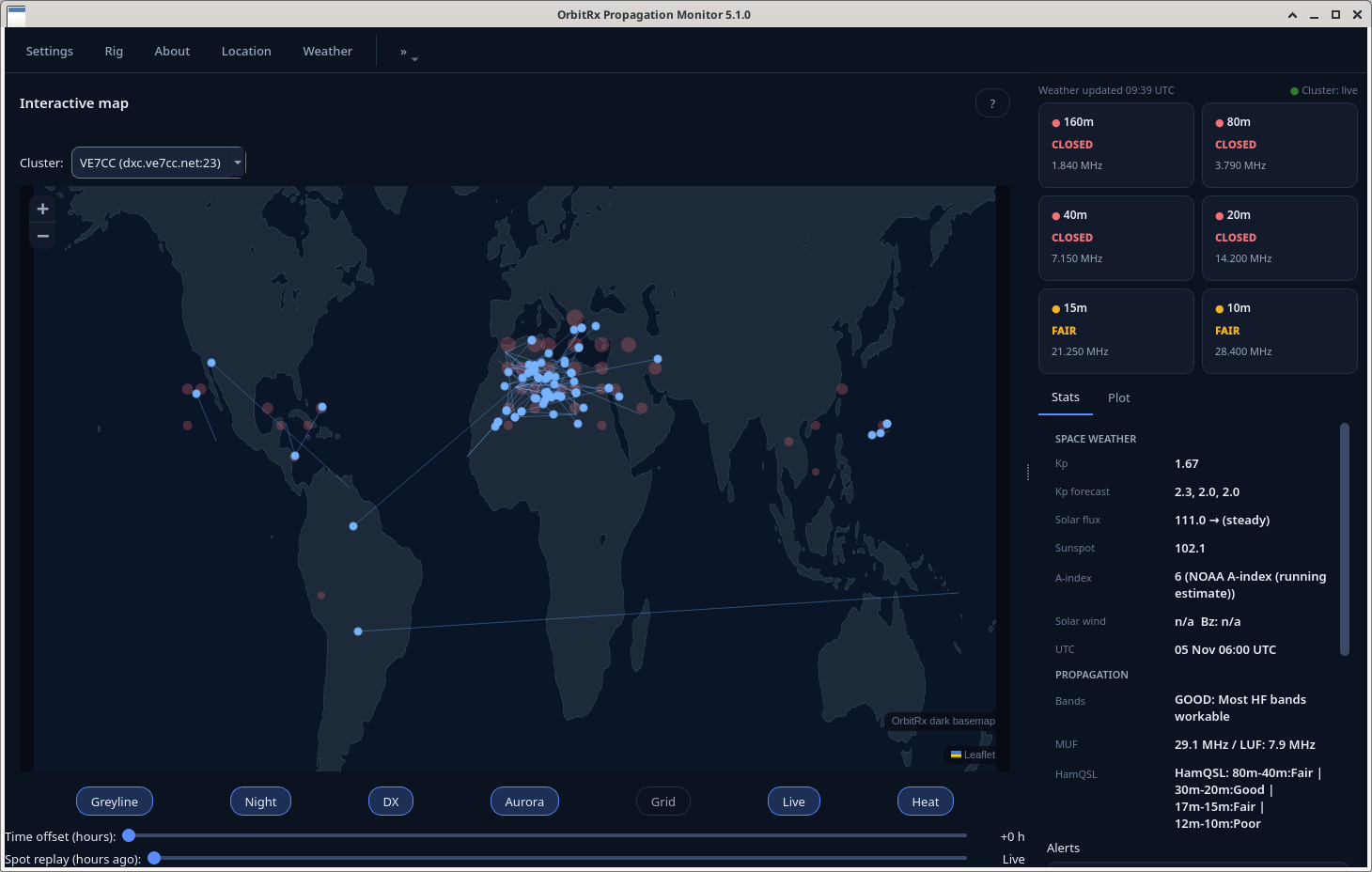
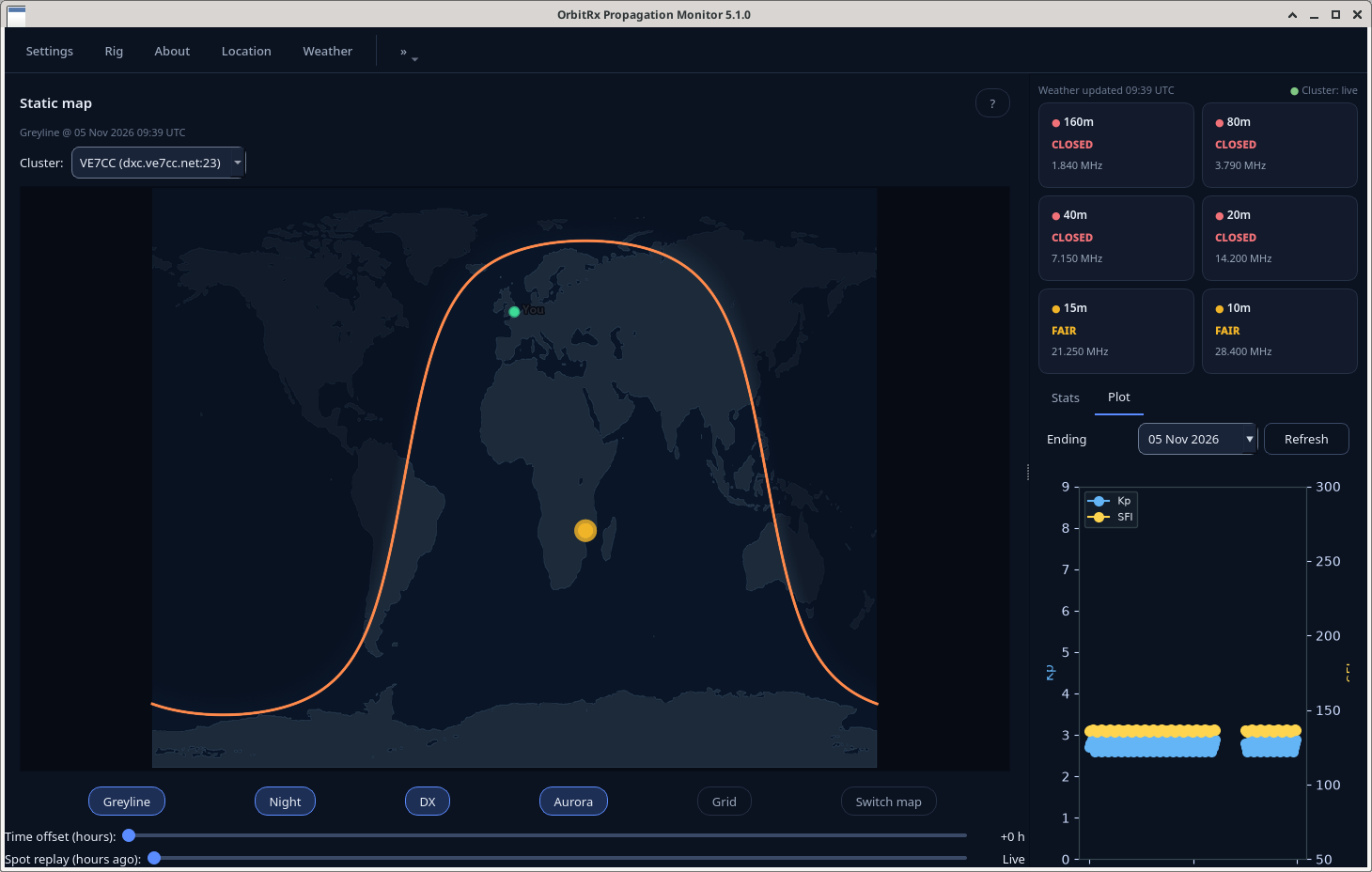
See band conditions from 160m to 10m, with solar and space-weather context alongside. The map has a greyline overlay, and history charts show how things changed over the last 48 hours.
-
FT8 + WSPR, one matrix
Live spots from both modes are merged into a single band matrix, so you're not cross-referencing two tools.
-
Map with no API keys
The map runs on offline, self-hosted tiles, so there's no account or key to set up. The pin starts in London until you set your own location. The interface is dark only.
Screenshots
Download
The first public build isn't up yet. When it is, the file, its size and its SHA-256 hash will appear here and in SHA256SUMS.txt.
| File | Size | SHA-256 | Action |
|---|---|---|---|
| Pending | — | Published with first release | Not yet |
About the Windows warning. OrbitRx builds are unsigned on purpose, so Windows SmartScreen will probably say it doesn't recognise the app. Check the file against the published SHA-256 first. If it matches, choose More info → Run anyway. If it doesn't, delete the file.
Verify a download
A checksum shows the file you got is byte-for-byte the file I published. If the hashes don't match, delete it and don't run it.
PowerShell
# in the folder you downloaded to
Get-FileHash .\OrbitRx-*.exe -Algorithm SHA256
Command Prompt
certutil -hashfile OrbitRx-*.exe SHA256
Compare the output with the hash in the table above. Case doesn't matter.
OrbitRx is free. If it helps you work a new band, a coffee is appreciated.
Buy me a coffee